
As of December 8, 2025, SCCM 2509 update is globally available for all customers to install. That means you don’t have to run the opt-in script any more, and the update should be available in the console for installation.
If your current sites are using ConfigMgr version 2403 or newer, you can upgrade directly to version 2509 to access the latest features and improvements. You can also skip the hotfixes, as they should be included in version 2509.
The great news is that version 2509 of SCCM serves as a baseline version. For new site installations, you can download and utilize the new media. The baseline media for version 2509 is expected to be available on VLSC and for Visual Studio subscribers by December 2025.
Download SCCM 2509 Current Branch Update
Open the Configuration Manager console. Navigate to Administration > Overview > Updates and Servicing. Select Check for Updates to download Configuration Manager 2509 update.
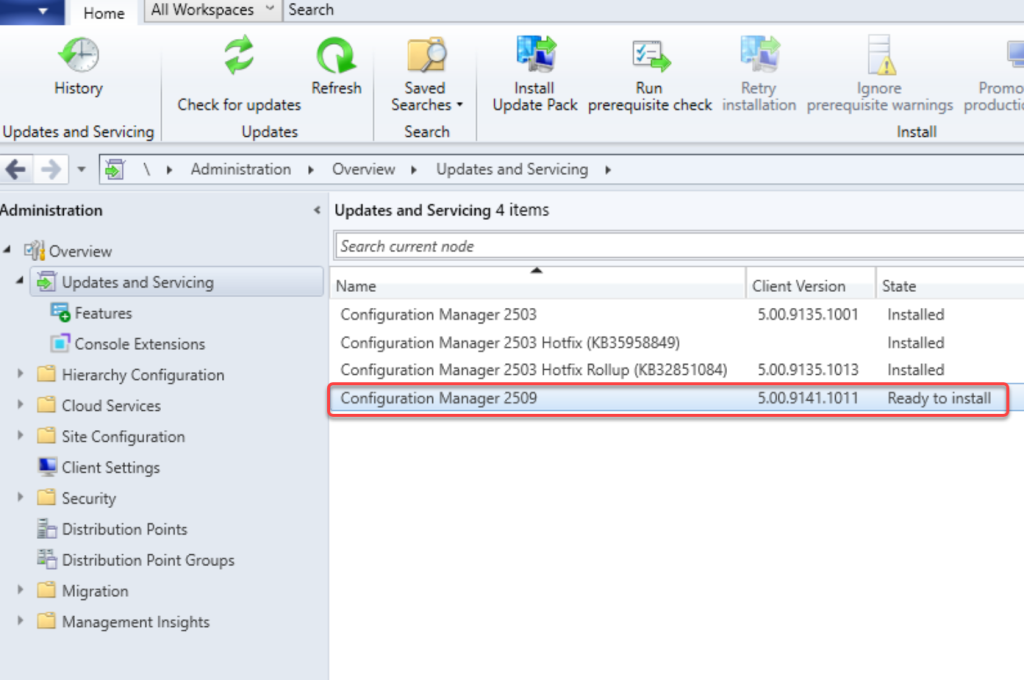
The ConfigMgr 2509 update takes a few minutes to download and extract all the necessary files. The update state changes from ‘Downloading‘ to ‘Ready to Install‘ in the console. If the update displays as downloading and doesn’t change, review the hman.log and dmpdownloader.log for errors.

Once the update is download and shows as Ready to Install, ensure you run the prerequisite check first and then upgrade to 2509.